BUILT FOR THE PEOPLE WHO FIX CARS →
Pro Technicians
/
Mobile Mechanics
/
Repair Shops
/
Fleet Managers
/
DIY Owners
THE DIAGNOSTIC WORKFLOW
From symptom to confirmed fix
01
Describe it
Enter year, make, model, engine and mileage, plus the symptoms and any trouble codes.
02
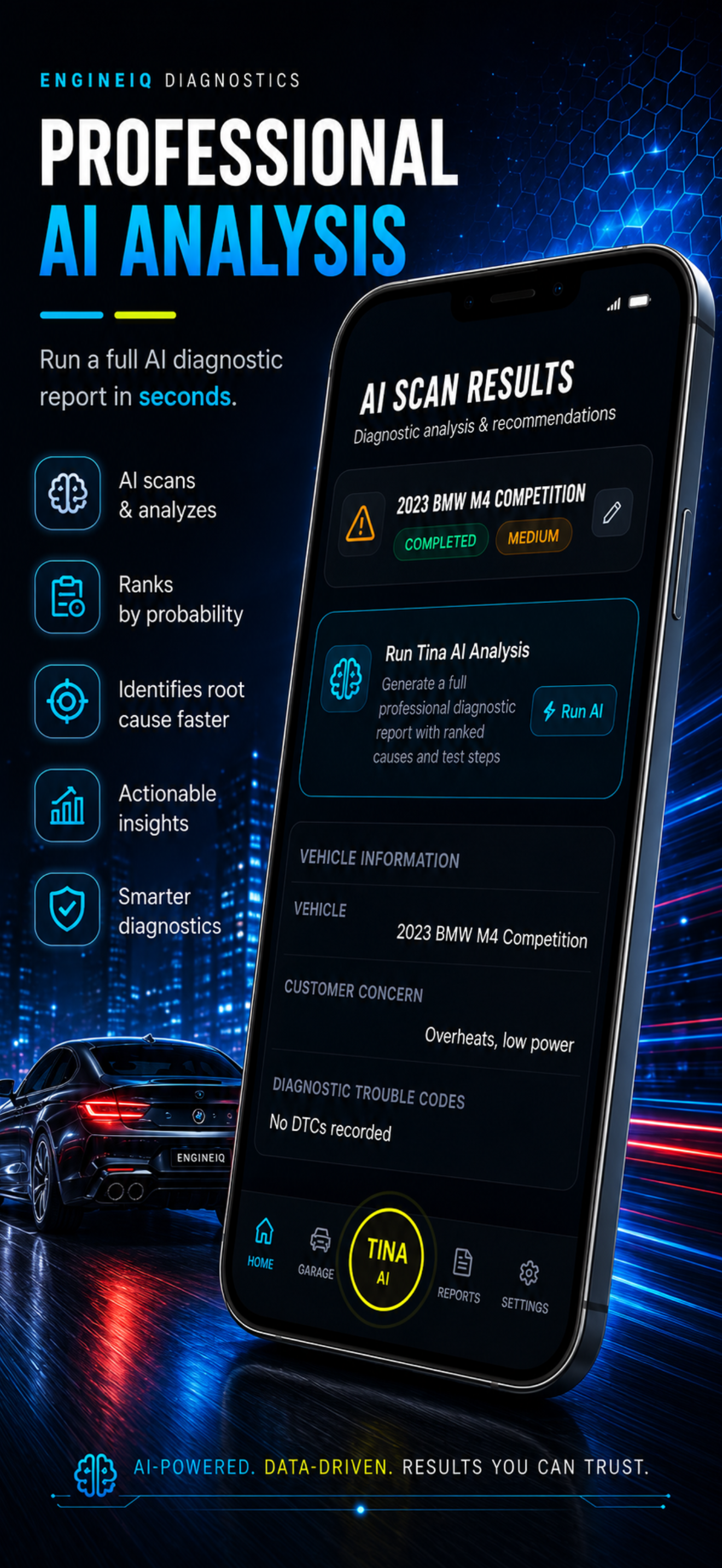
Run AI Scan
Tina AI analyzes the vehicle and the customer concern in seconds — no plug-in required.
03
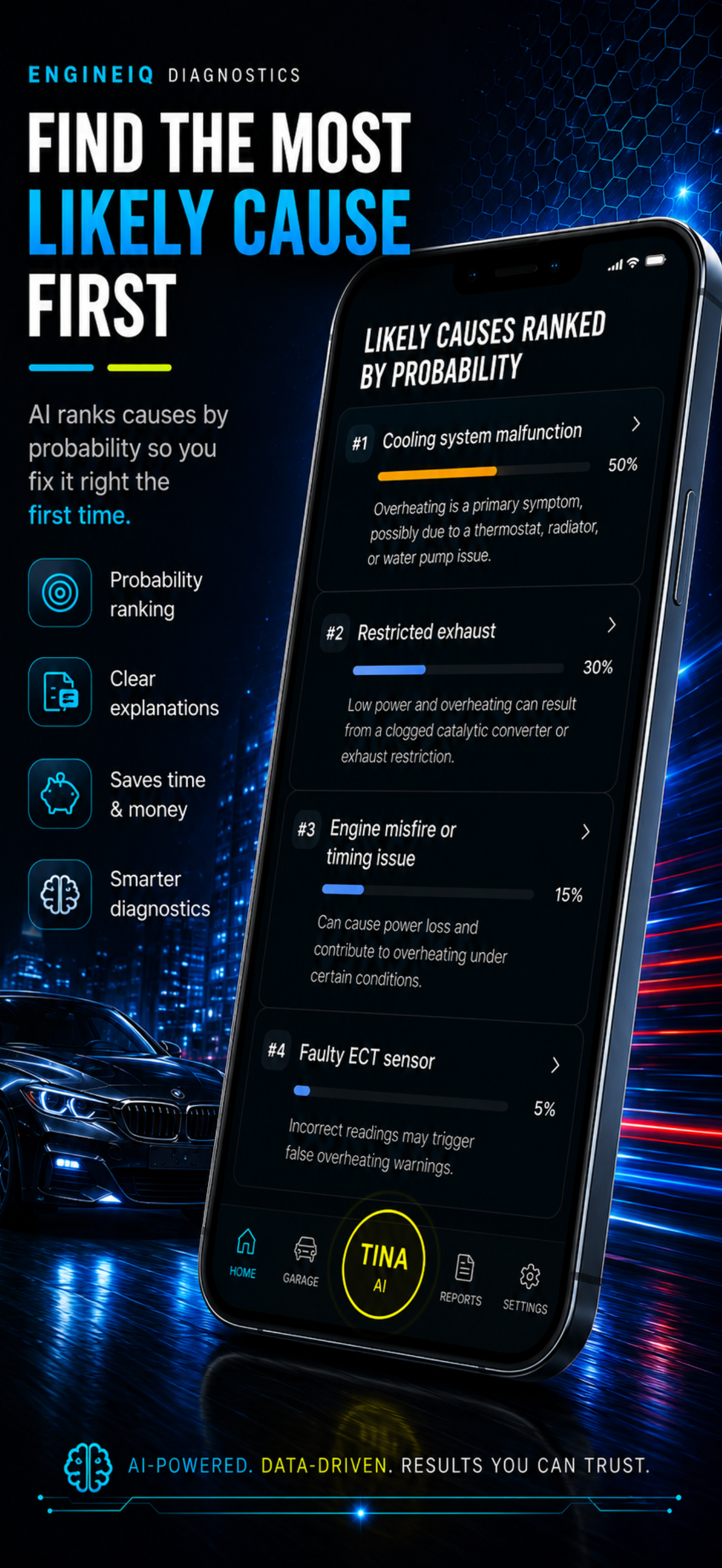
Rank Causes
Get probable causes ranked by probability, the most likely fault first, in plain English.
04
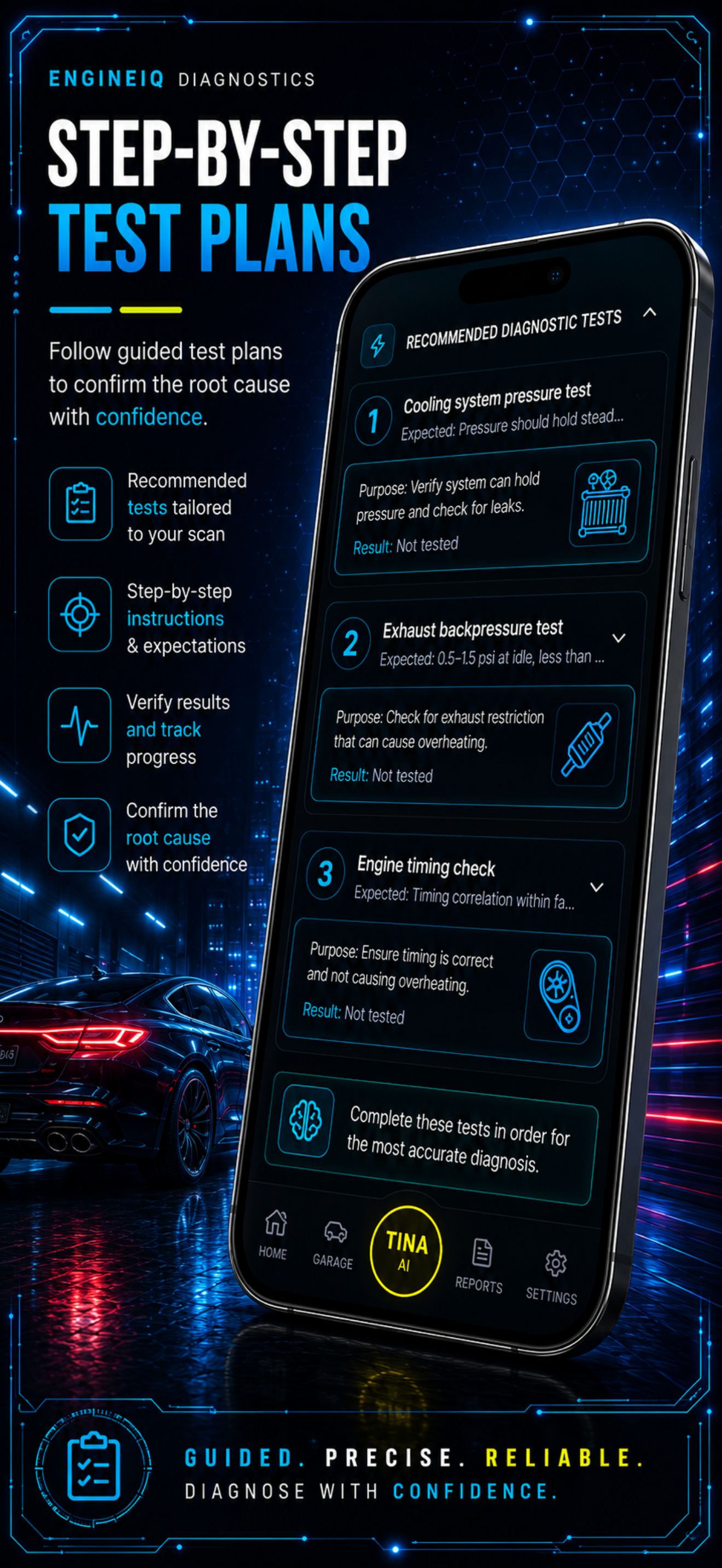
Guided Tests
Follow a step-by-step test plan: what to check, why, the tools needed and expected results.
05
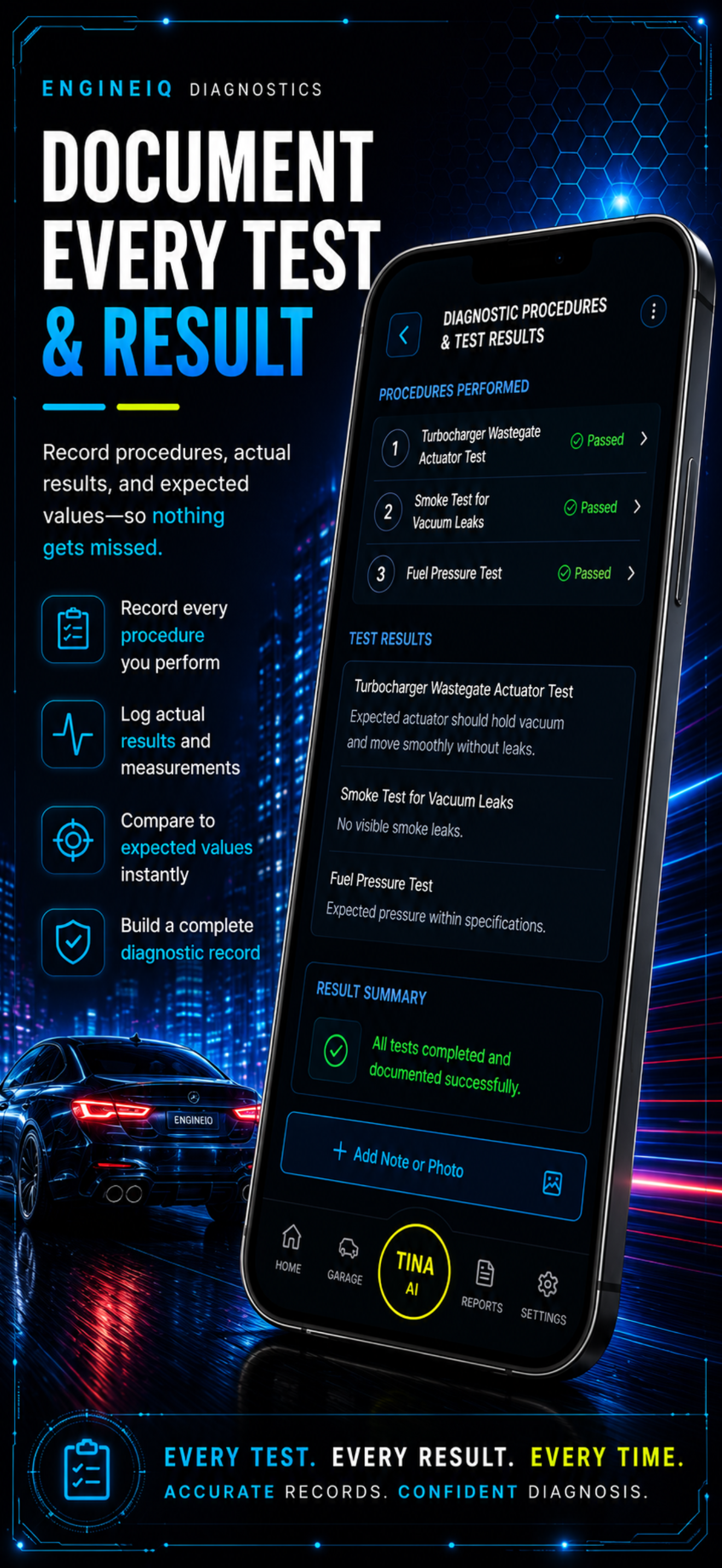
Document & Report
Log actual results, then generate a professional report or invoice to share in seconds.


CAPABILITIES
Everything you need to nail the diagnosis
Powerful enough for a master tech. Clear enough for a first-time DIYer.
AI Scan & Analysis
Tina analyzes the vehicle, the customer concern and any codes — far beyond a single code definition.
Causes Ranked by Probability
Every scan returns the most likely faults first, each with a clear probability and plain-English reasoning.
Step-by-Step Test Plans
Recommended tests tailored to the scan: what to check, the purpose, and the exact results to expect.
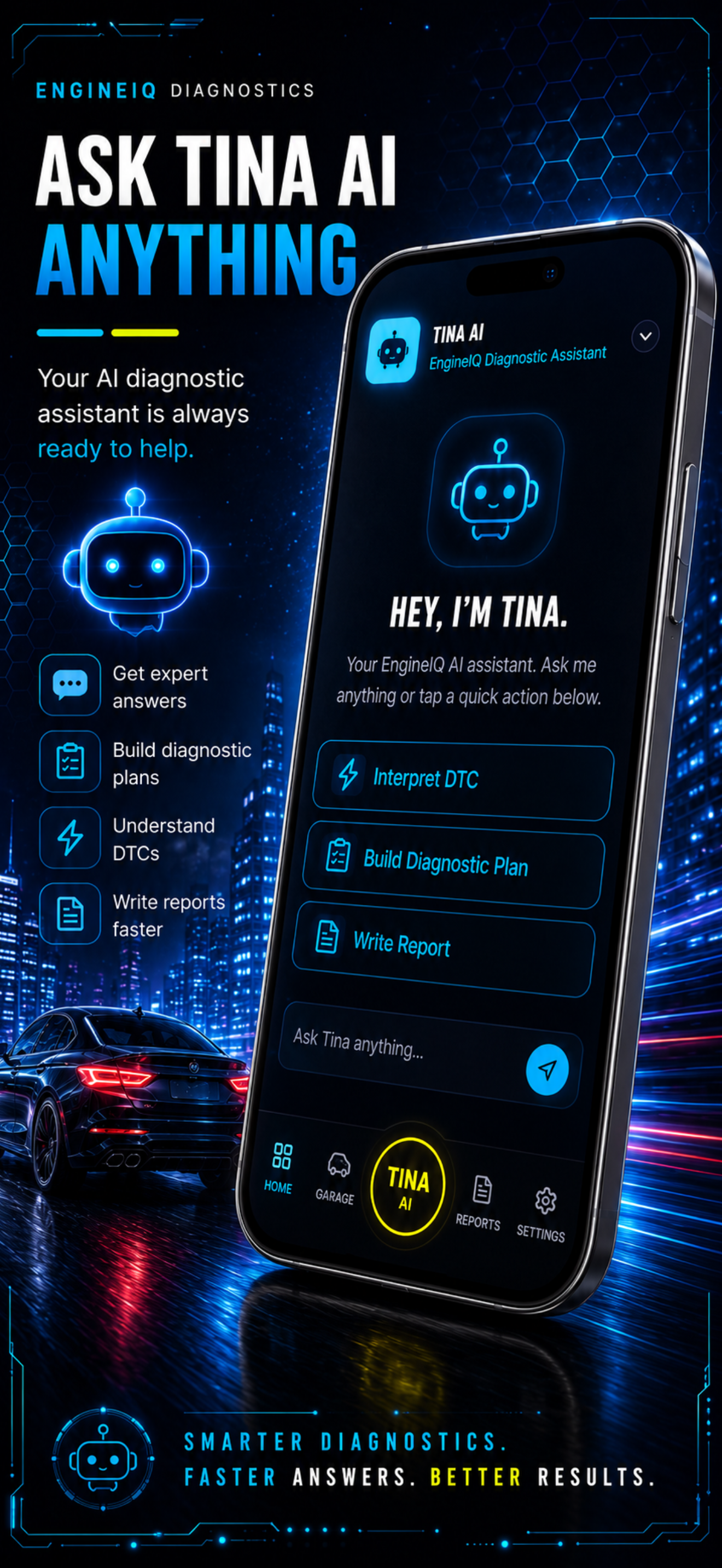
Tina AI Assistant
Talk or message your diagnostic assistant anytime to interpret codes, build plans and write reports.
Document Every Result
Record each procedure, log actual vs expected readings, and attach notes or photos so nothing slips.
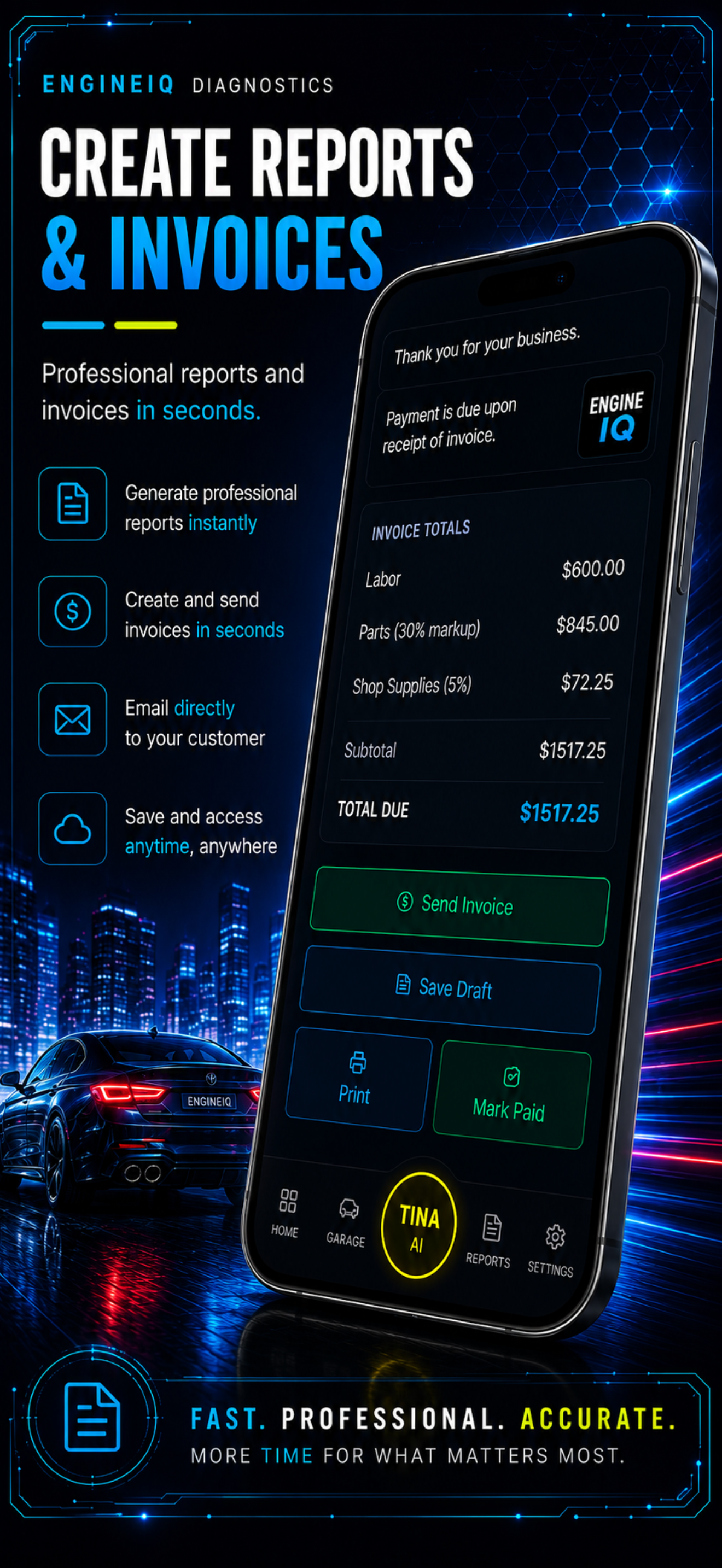
Reports & Invoices
Turn a session into a professional report or itemized invoice in seconds — then email, print or save.
APP GALLERY
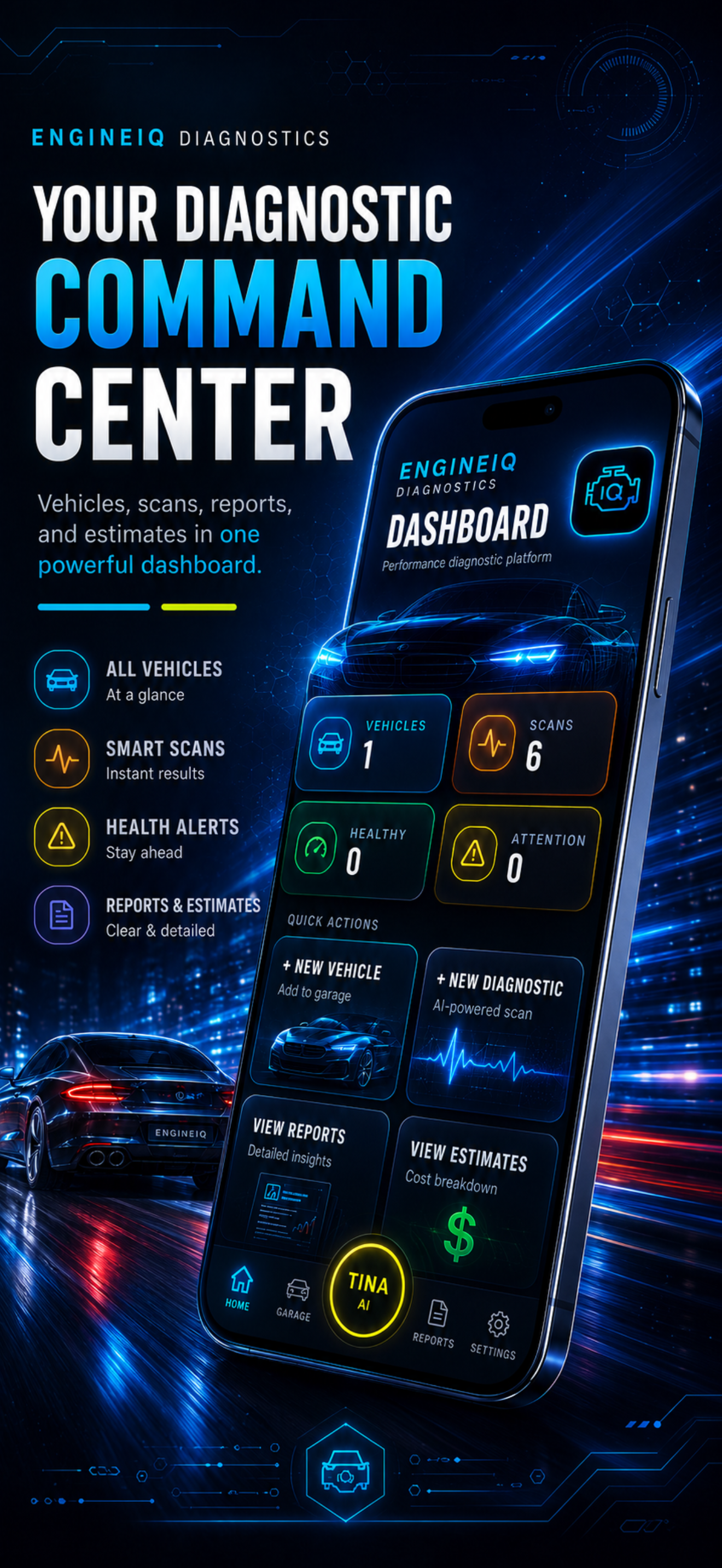
See EngineIQ in action
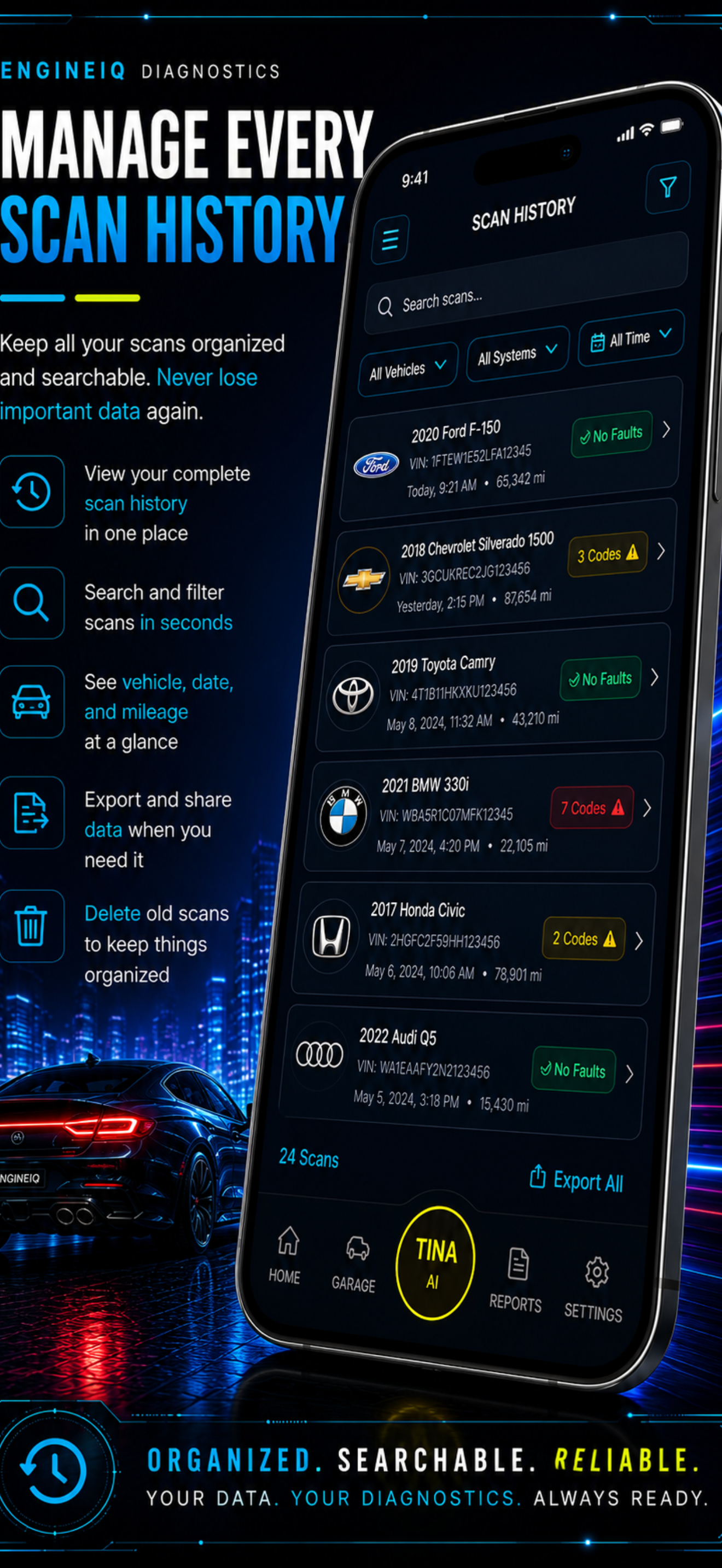
GET THE MOST OUT OF ENGINEIQ
Best practices for better diagnostics
EngineIQ is a support tool — not a replacement for proper testing. Follow these practices to get the most accurate results and avoid unnecessary part replacements.
01Enter symptoms clearly and specifically — the more detail, the better the analysis.
02Include exact trouble codes when available, not just a general description.
03Add freeze-frame data if your scanner captured it when the code was set.
04Follow the workflow step by step — don't skip ahead to the repair.
05Never replace a part without first confirming it as the root cause.
PRICING
Plans for every bay
MOST POPULAR
7-DAY FREE TRIAL
Pro
$14.99/mo
7-day free trial, then $14.99/mo. Cancel anytime.
✓Full ranked causes + probability
✓Complete guided test plans
✓Document tests + photos
✓Unlimited Tina AI
✓Reports & invoices
✓Garage + scan history
No charge until day 8 · Cancel anytime
BEST VALUE
SAVE 17%
Pro — Yearly
$149.99/year
7-day free trial, then $149.99/yr — just $12.50/mo.
✓Full ranked causes + probability
✓Complete guided test plans
✓Document tests + photos
✓Unlimited Tina AI
✓Reports & invoices
✓Garage + scan history
No charge until day 8 · 17% off monthly price
FROM THE BAY
Techs who stopped guessing
★★★★★
"Entered the symptoms and codes, and the ranked causes nailed it in under ten minutes. Saved me an hour of chasing."
MR
Marcus Reyes
Mobile mechanic · TX
★★★★★
"We stopped throwing parts at problems. Confirming the fault with the test plan before ordering cut our comeback rate way down."
DL
Dana Lowe
Shop owner · OH
★★★★★
"I'm not a tech, but Tina walked me through testing my own truck step by step. Saved me a $400 diagnostic fee."
JP
Jordan Patel
DIY owner · CA
QUESTIONS
Frequently asked
How does the free trial work?+
Both plans include a 7-day free trial. You won't be charged until day 8. If you cancel before the trial ends, you won't be billed at all.
What's the difference between monthly and yearly?+
The monthly Pro plan is $14.99/mo. The yearly Pro plan is $149.99/year — that's the equivalent of $12.50/mo, saving you 17% compared to paying monthly.
Can I cancel anytime?+
Yes. Cancel anytime from your account settings — or through Apple App Store or Google Play depending on where you subscribed. You keep access through the end of your current billing period.
Do I need an OBD2 scanner?+
No — EngineIQ 360 works without a hardware scanner. You enter symptoms, codes and observations manually. If you have scan data or freeze-frame, you can include it for a more precise analysis.
What is Tina AI?+
Tina is your conversational diagnostic technician. Talk or type to her at any point — she explains faults, recommends tests, lists the tools you'll need, tells you the expected readings, and verifies the repair worked.
I was charged but can't access Pro features — what do I do?+
Contact us at support@engineiq360.com with your full name, the email on your account, the platform you subscribed through, the charge date, and a screenshot of your receipt. We'll get it sorted quickly.