New: OBD2 live data capabilities are here Learn more →
AI-GUIDED VEHICLE DIAGNOSTICS

Stop guessing.
Start diagnosing.

Your scanner gives you codes. EngineIQ gives you direction.

We analyze your symptoms, trouble codes and scan data to rank probable causes — then guide you step by step through exactly what to test before replacing a single part. Meet Tina AI, your diagnostic assistant.

SECONDS
TO A FULL AI REPORT
RANKED
CAUSES BY PROBABILITY
ALL-IN-ONE
SCANS · TESTS · REPORTS
6:41
T
Tina AI
● Diagnostic assistant
“P0301 misfire on cyl 3 — most likely the ignition coil. Swap it with cyl 1 to confirm.”
How do I test the coil?
Swap the cyl 3 coil with cyl 1. Clear codes and test drive. If the misfire moves to cyl 1, the coil is confirmed bad. You'll need a 7mm socket — takes about 5 min.
Got it — starting the swap now.
ENGINEIQ DIAGNOSTICS
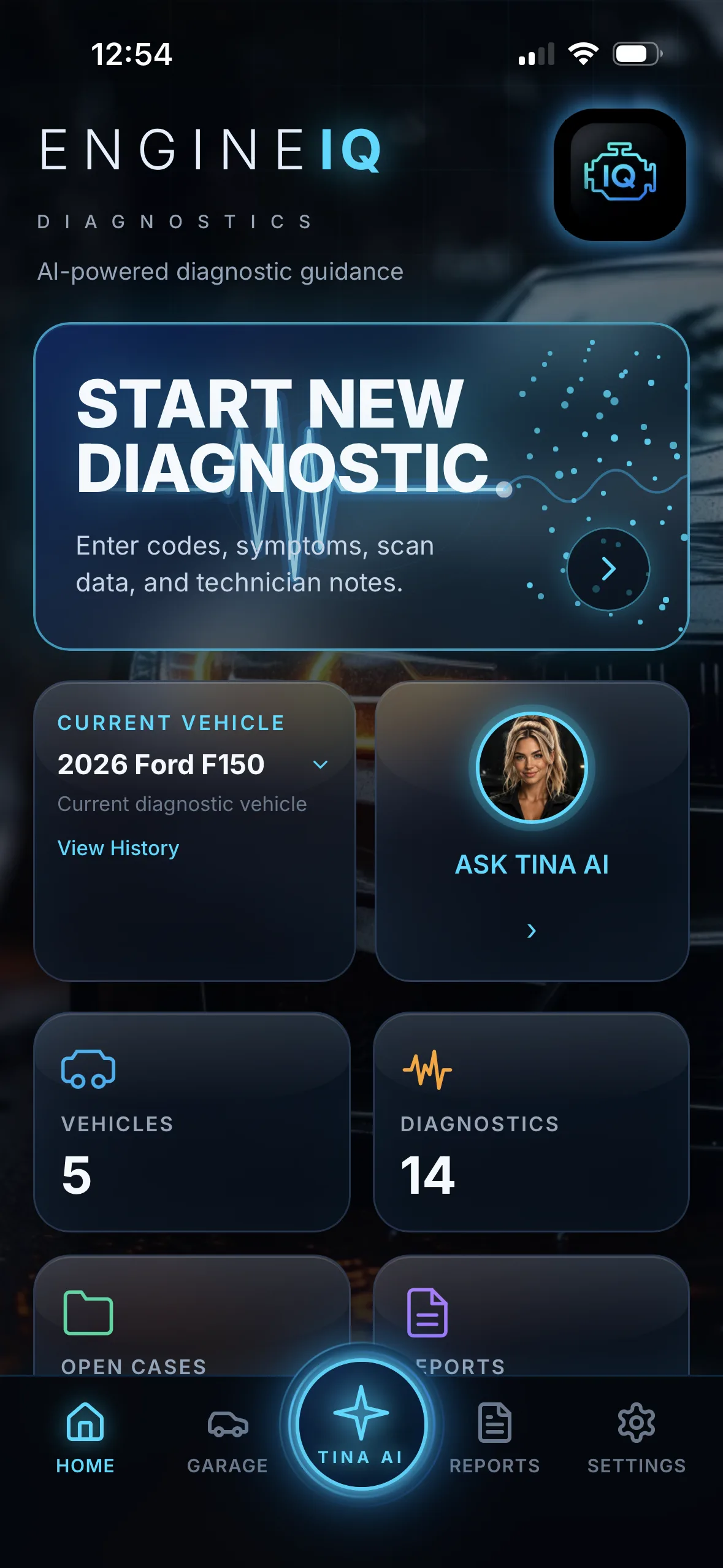
EngineIQ home screen showing the current vehicle, Start New Diagnostic panel, and quick-action gauges for Garage, Ask Tina and Reports
BUILT FOR THE PEOPLE WHO FIX CARS → Pro Technicians / Mobile Mechanics / Repair Shops / Fleet Managers / DIY Owners

Real Data
Real Answers

Plug in. Drive. Let Tina diagnose.
Read
Codes
Live
Data
Drive
Test
Get
Answers
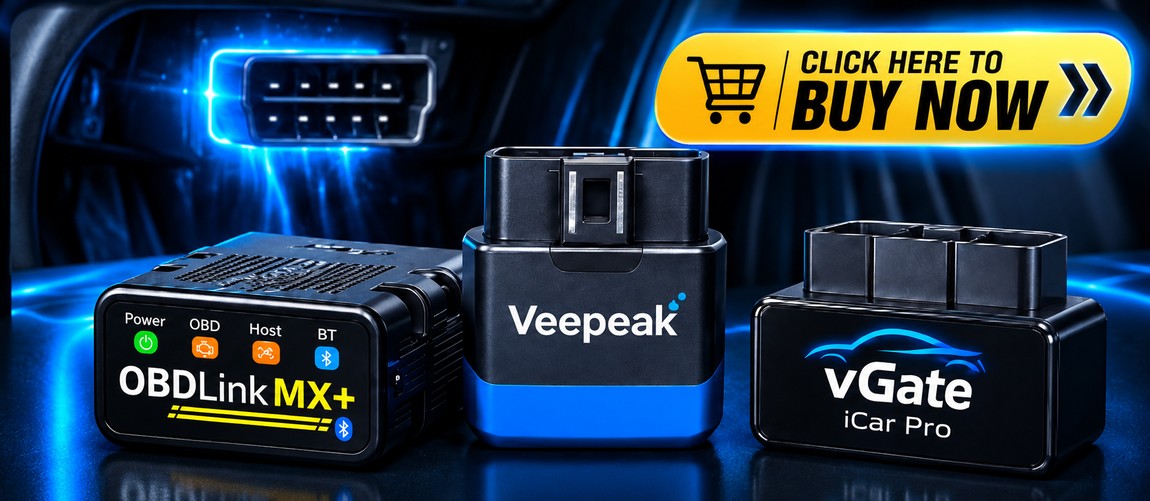
Popular OBD2 Bluetooth adapters: OBDLink MX+, Veepeak and vGate iCar Pro

WORKS WITH POPULAR OBD2 ADAPTERS
OBDLink | Veepeak | vGate | and more →

Do a Drive Test
Tina Takes It From There

Live data. Real driving conditions. A smarter diagnosis.
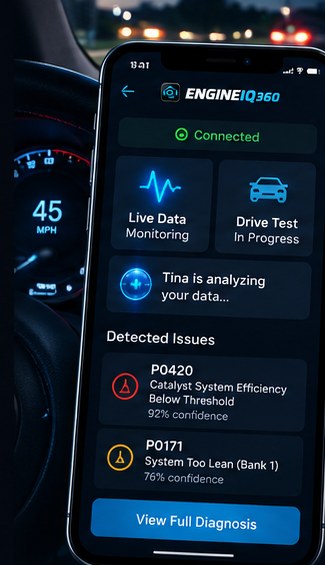
EngineIQ app showing a drive test in progress with live data monitoring and detected issues P0420 and P0171, each with a confidence score
Tina, the EngineIQ AI assistant
Tina

Diagnoses your vehicle based on real-world drive data and tells you how to fix it.

  • Step-by-step repair guidance
  • Parts recommendations (eBay & Amazon)
  • Helpful videos

More than codes.
A clear path to a fix.

THE DIAGNOSTIC WORKFLOW

From symptom to confirmed fix

01
Connect or Describe It
Plug in an OBD2 adapter for a live scan and drive test, or just enter year, make, model and your symptoms — no adapter required.
02
Run AI Scan
Tina AI analyzes the vehicle and the customer concern in seconds — no plug-in required.
03
Rank Causes
Get probable causes ranked by probability, the most likely fault first, in plain English.
04
Guided Tests
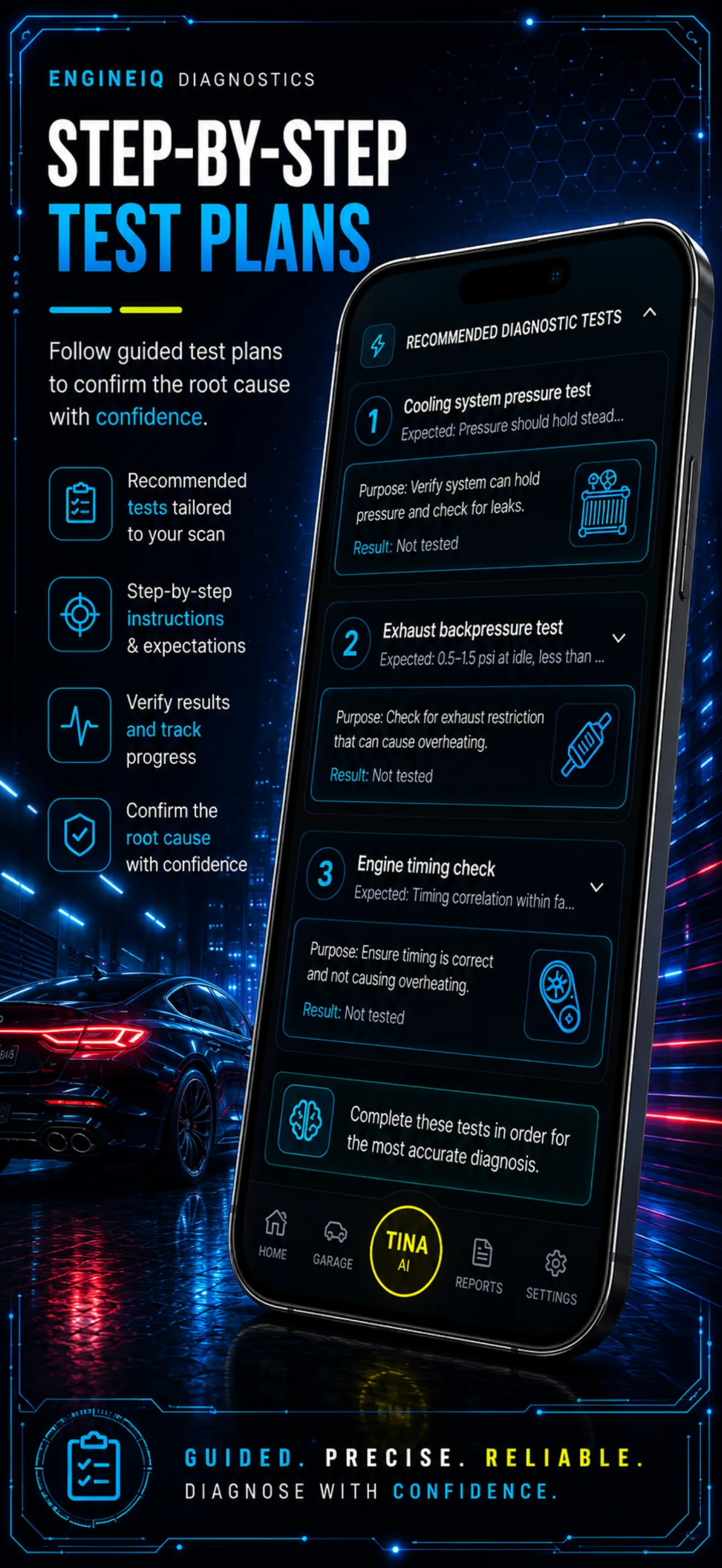
Follow a step-by-step test plan: what to check, why, the tools needed and expected results.
05
Document & Report
Log actual results, then generate a professional report or invoice to share in seconds.
Tina AI
EngineIQ
MEET TINA AI

Your always-on diagnostic assistant

Tina doesn't just answer questions — she analyzes your scan, ranks causes, builds test plans, explains every step, and writes your report. Available 24/7, right inside the app.

Analyze Explain Recommend Report Resolve
CAPABILITIES

Everything you need to nail the diagnosis

Powerful enough for a master tech. Clear enough for a first-time DIYer.

Personalize The Look Of Your AI Assistant In Settings!
01
Live OBD2 Data & Drive Tests
Connect a Bluetooth OBD2 adapter and Tina reads live data straight from the vehicle during a real drive test — see supported adapters →
02
AI Scan & Tina Assistant
Tina analyzes the vehicle, the customer concern and any codes — far beyond a single code definition — then stays available to talk through findings, build plans and write reports.
03
Causes Ranked by Probability
Every scan returns the most likely faults first, each with a clear probability and plain-English reasoning.
04
Step-by-Step Test Plans
Recommended tests tailored to the scan: what to check, the purpose, and the exact results to expect.
05
Document Every Result
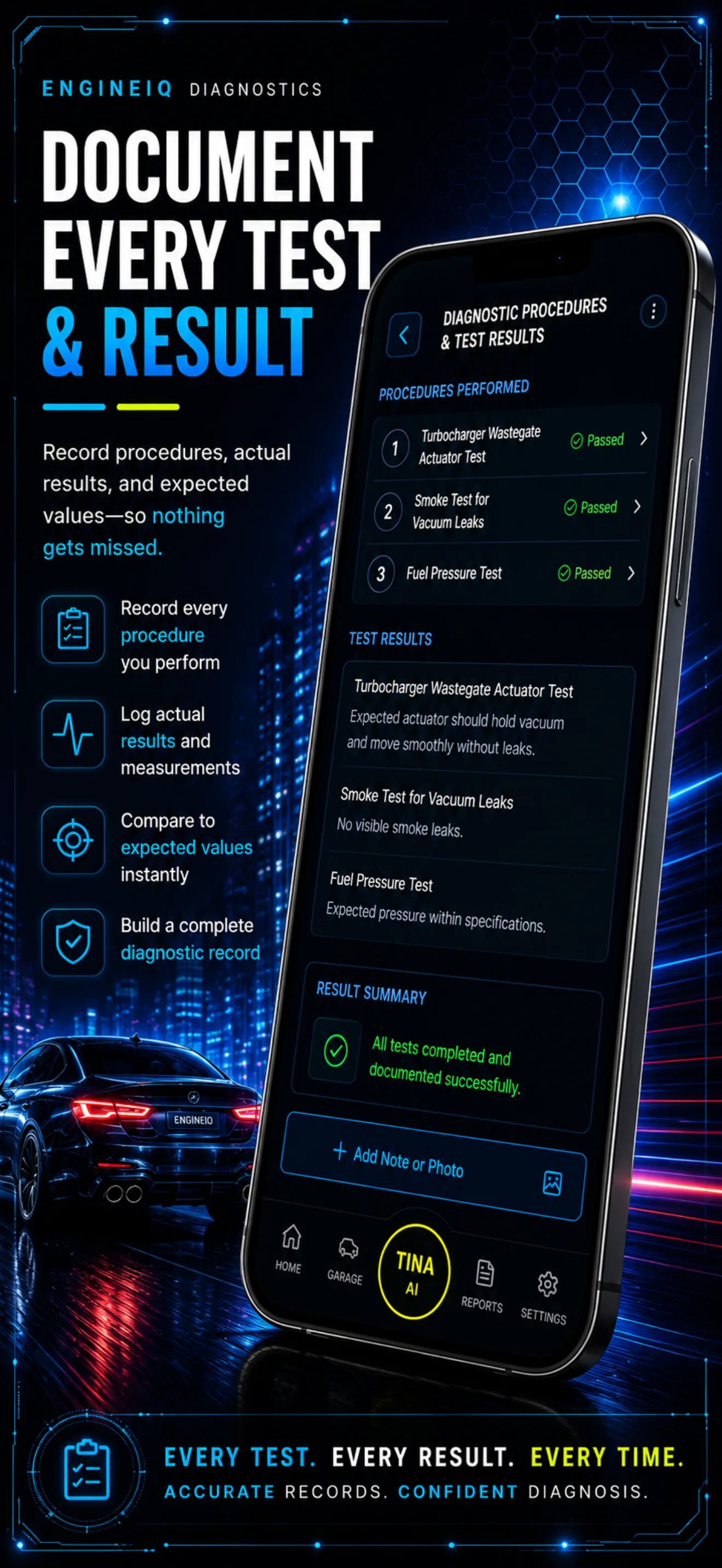
Record each procedure, log actual vs expected readings, and attach notes or photos so nothing slips.
06
Reports & Invoices
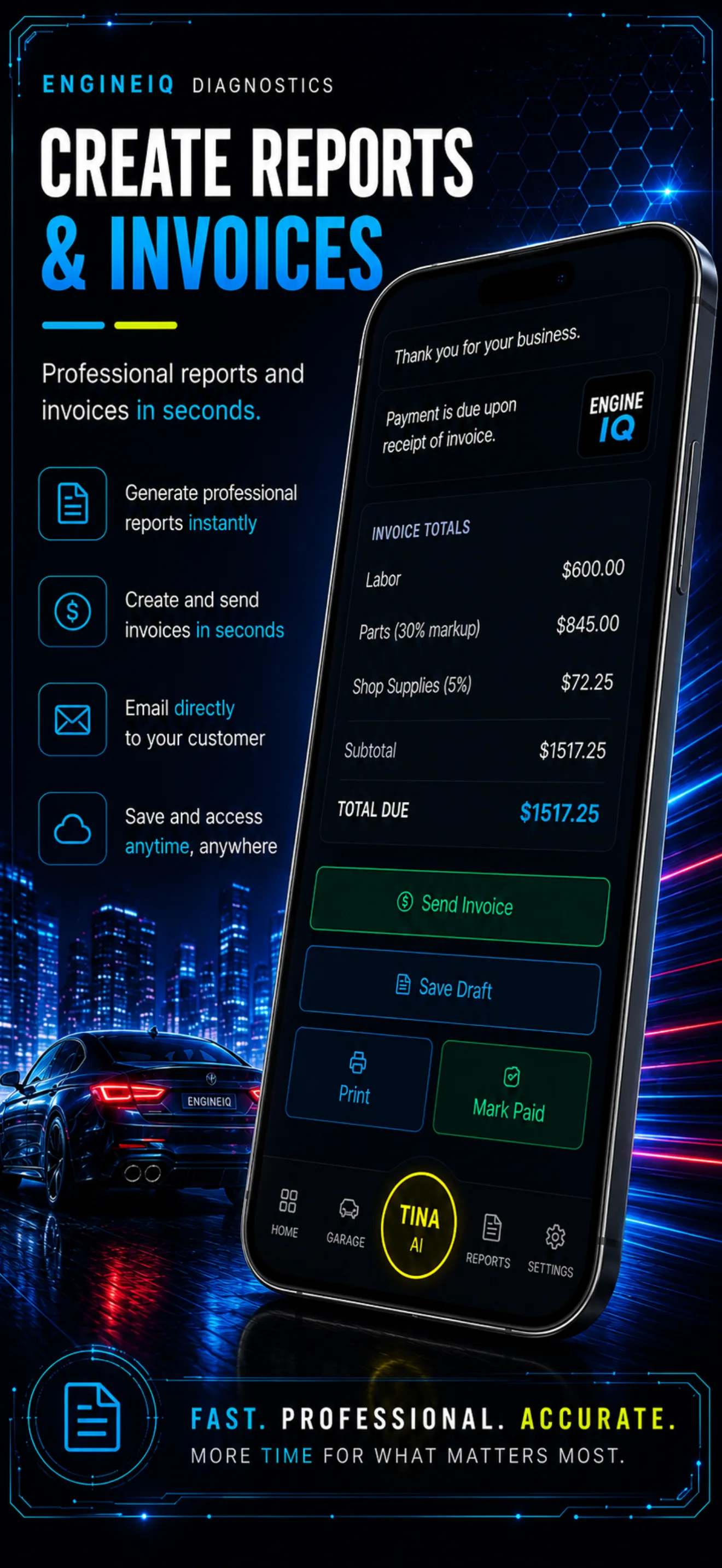
Turn a session into a professional report or itemized invoice in seconds — then email, print or save.
APP GALLERY

See EngineIQ in action

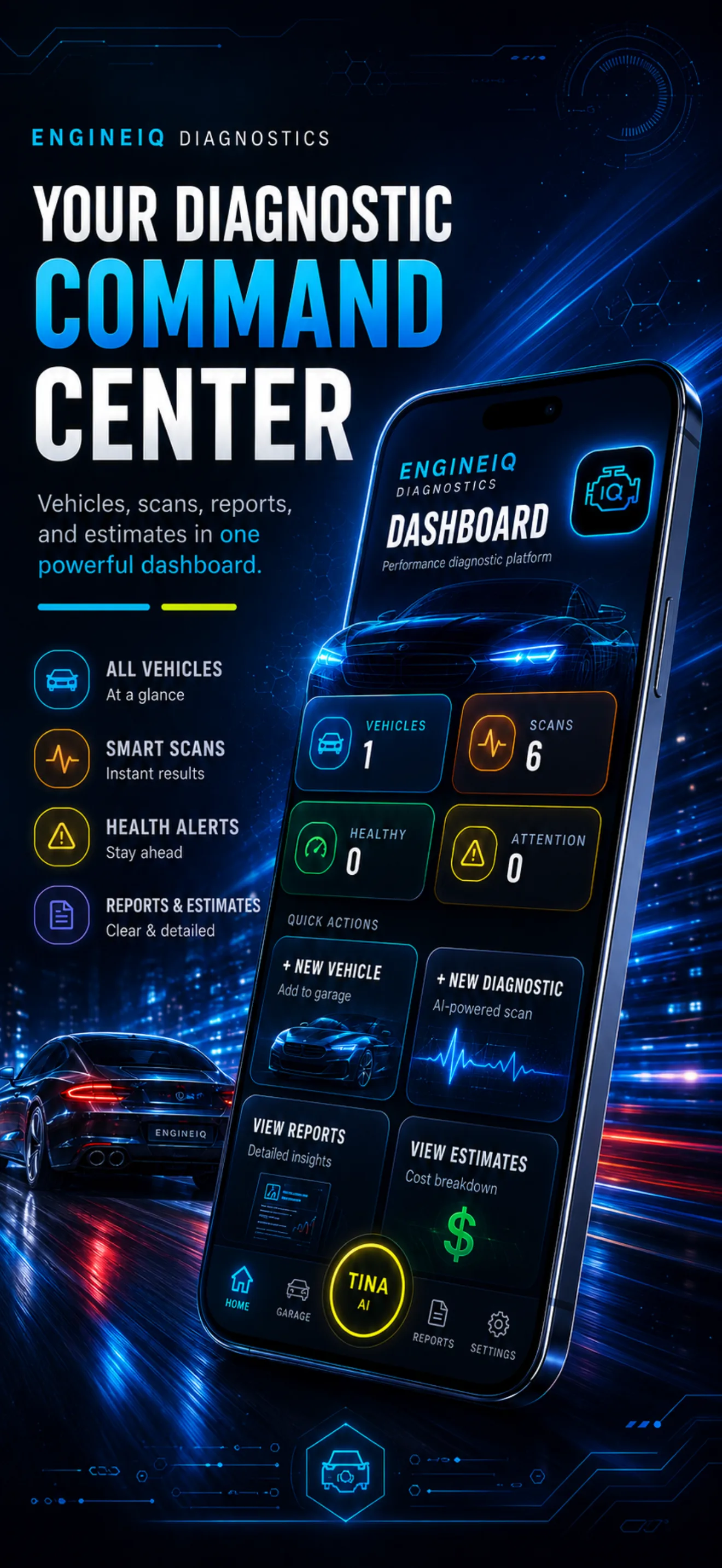
EngineIQ dashboard showing vehicle count, completed scans, health alerts and quick actions
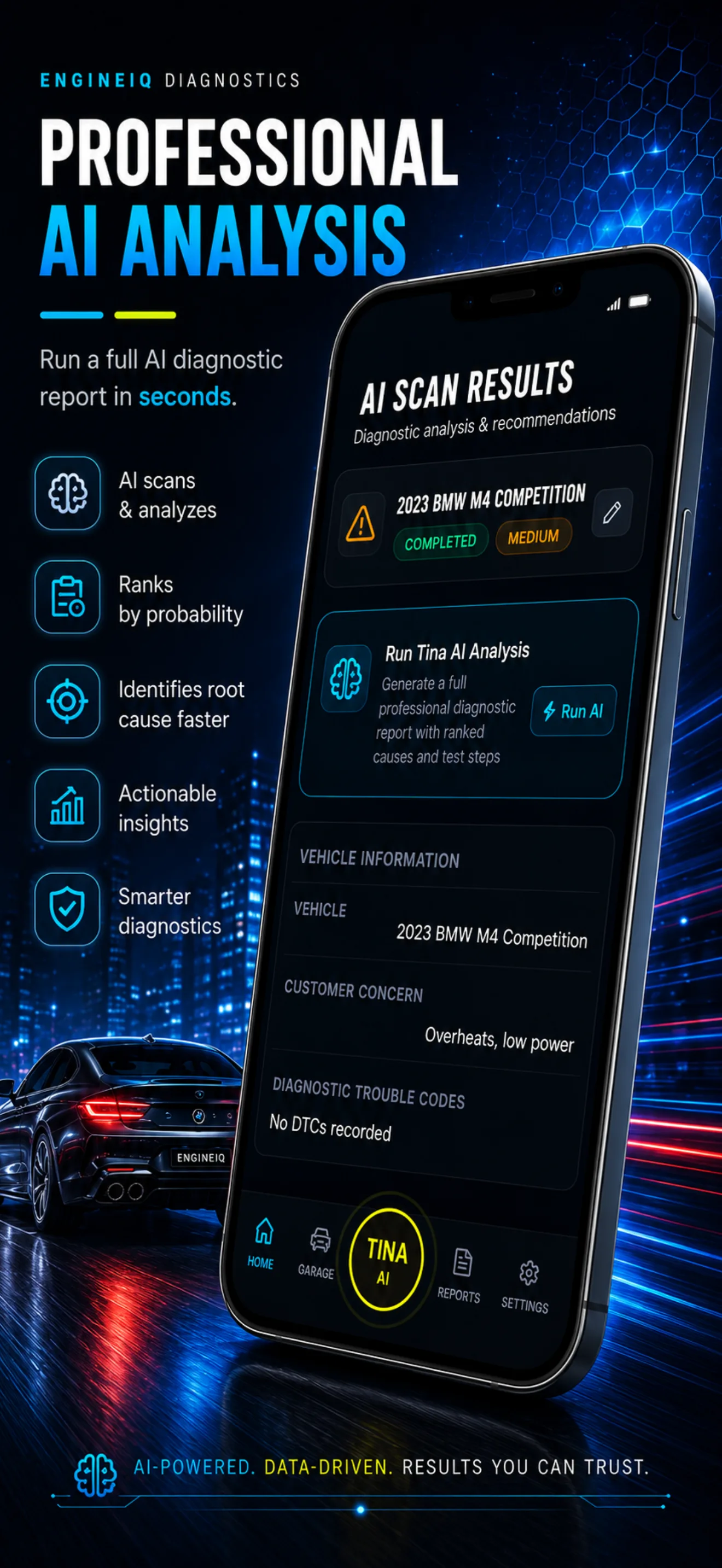
AI scan results for a 2023 BMW M4 Competition, with the customer concern and trouble codes listed
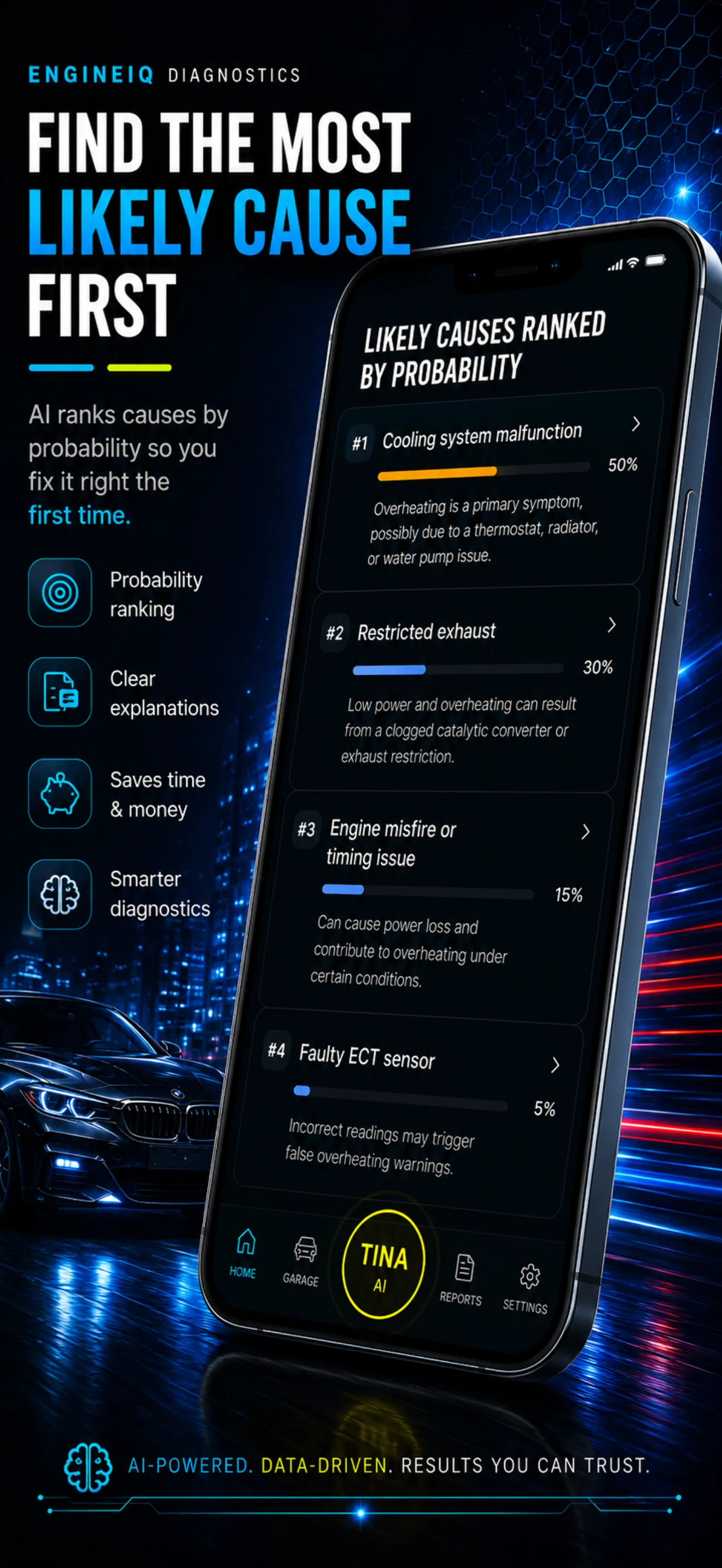
Likely causes ranked by probability — cooling system malfunction at 50%, restricted exhaust at 30%
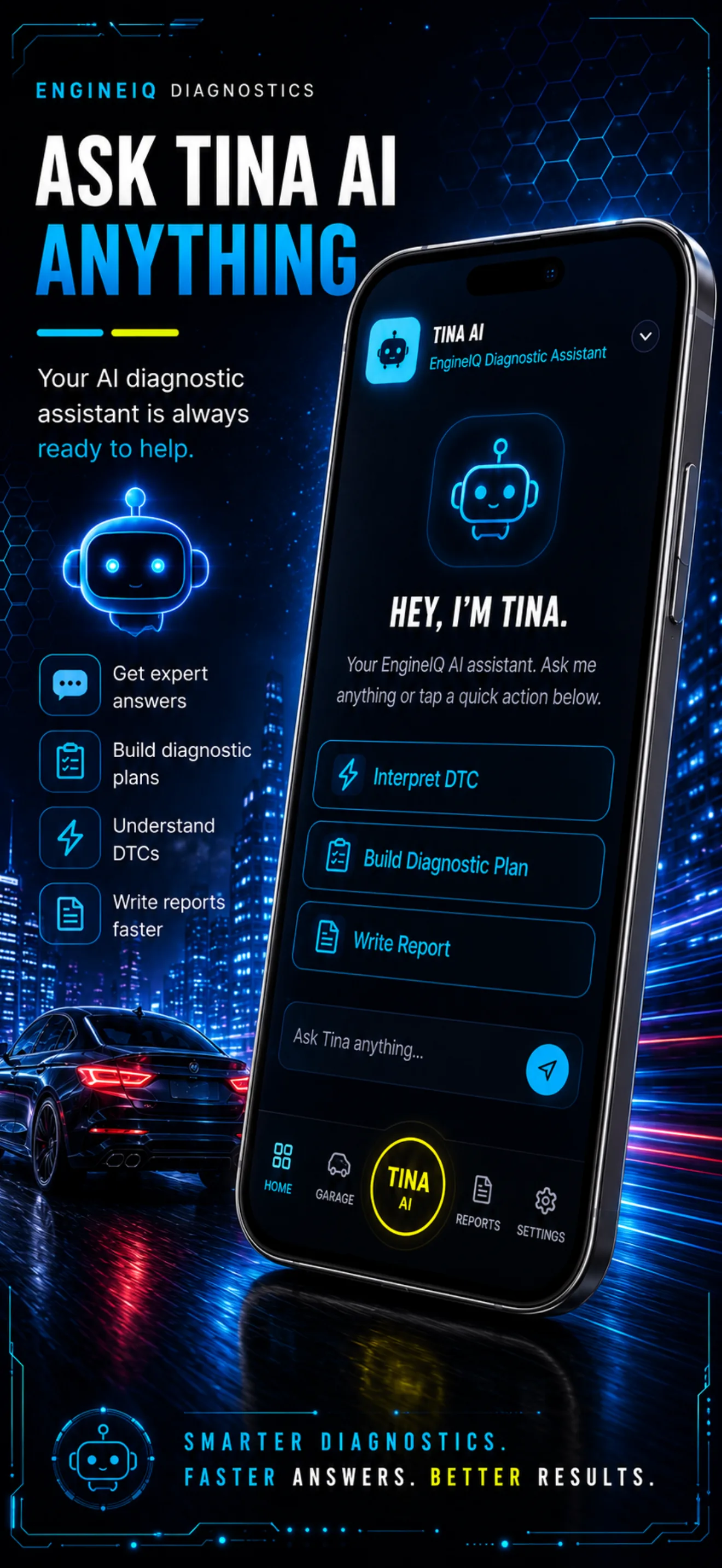
Tina, the EngineIQ AI assistant, offering to interpret a trouble code, build a diagnostic plan or write a report
Recommended diagnostic tests in order, each with its purpose and expected result
Diagnostic procedures and test results recorded, with each completed test marked as passed
An EngineIQ invoice totaling labor, parts and shop supplies, ready to send or print
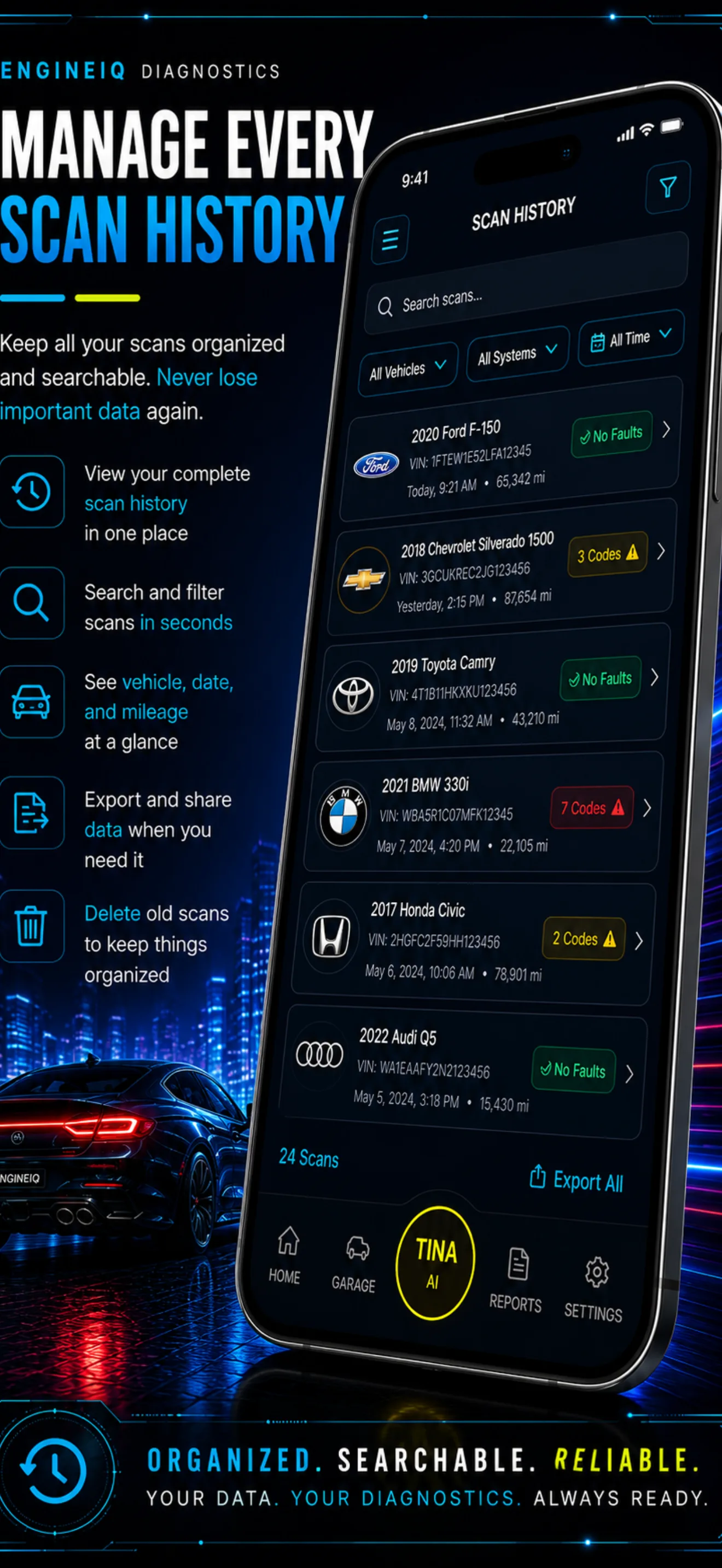
Scan history across several vehicles, each showing its VIN, mileage and fault count
GET THE MOST OUT OF ENGINEIQ

Best practices for better diagnostics

EngineIQ is a support tool — not a replacement for proper testing. Follow these practices to get the most accurate results and avoid unnecessary part replacements.

01Enter symptoms clearly and specifically — the more detail, the better the analysis.
02Include exact trouble codes when available, not just a general description.
03Add freeze-frame data if your scanner captured it when the code was set.
04Follow the workflow step by step — don't skip ahead to the repair.
05Never replace a part without first confirming it as the root cause.
PRICING

Start free. Upgrade when you're ready.

EngineIQ doesn't charge you to read a code. We charge for helping you confidently fix the right thing — the first time.

FREE FOREVER
NO CREDIT CARD
Free
$0/forever
Start diagnosing immediately. No card required, no expiration.
Unlimited DTC lookups & symptom entry
Ranked causes by probability
Severity level for each code
1 recommended first diagnostic test
3 Tina AI conversations included
Save 1 vehicle
Basic diagnostic history
Download Free
No credit card · No expiration
MOST POPULAR
SAVE 33% YEARLY
Pro
$4.99/mo
or $39.99/yr — save 33%
The complete diagnostic experience — powered by Tina AI. Cancel anytime.
Everything in Free
Unlimited Tina AI conversations
Complete ranked probability + reasoning
Full guided diagnostic workflows
Freeze-frame & live PID interpretation
Unlimited vehicle storage
Full diagnostic history — all vehicles
Repair verification checklists
Maintenance tracking & reminders
Reports & invoices
Priority access to new features
Go Pro — $4.99/mo
Or $39.99/yr · Save 33% · Cancel anytime
ONE-TIME
PAY ONCE
Lifetime
$79.99/once
Pay once, own Pro forever. No renewals, no subscriptions.
Everything in Pro
One payment, no recurring billing
All future Pro features included
Get Lifetime — $79.99
Pay once · Own it forever
FROM THE BAY

Techs who stopped guessing

★★★★★

"Entered the symptoms and codes, and the ranked causes nailed it in under ten minutes. Saved me an hour of chasing."

MR
Marcus Reyes
Mobile mechanic · TX
★★★★★

"We stopped throwing parts at problems. Confirming the fault with the test plan before ordering cut our comeback rate way down."

DL
Dana Lowe
Shop owner · OH
★★★★★

"I'm not a tech, but Tina walked me through testing my own truck step by step. Saved me a $400 diagnostic fee."

JP
Jordan Patel
DIY owner · CA
QUESTIONS

Frequently asked

What's included in the Free plan?+
The Free plan includes unlimited DTC lookups, symptom entry, ranked causes by probability, severity levels, one recommended first diagnostic test, 3 Tina AI conversations, 1 saved vehicle, and basic diagnostic history. No credit card required — ever.
What's the difference between monthly, yearly and lifetime Pro?+
The monthly Pro plan is $4.99/mo. The yearly Pro plan is $39.99/year — that's the equivalent of $3.33/mo, saving you 33% compared to paying monthly. Lifetime is a single $79.99 payment for Pro access forever, no renewals. All three include the full Pro feature set.
Can I cancel anytime?+
Yes. Cancel anytime from your account settings — or through Apple App Store or Google Play depending on where you subscribed. You keep access through the end of your current billing period.
Do I need an OBD2 scanner?+
No — EngineIQ 360 works without any hardware. You can enter symptoms, codes and observations manually and get a full analysis. But if you connect a Bluetooth OBD2 adapter, Tina can pull live data straight from your vehicle and run a guided drive test, which sharpens the diagnosis considerably.
What is Tina AI?+
Tina is your conversational diagnostic technician. Talk or type to her at any point — she explains faults, recommends tests, lists the tools you'll need, tells you the expected readings, and verifies the repair worked.
I was charged but can't access Pro features — what do I do?+
Contact us at support@engineiq360.com with your full name, the email on your account, the platform you subscribed through, the charge date, and a screenshot of your receipt. We'll get it sorted quickly.

Stop guessing.
Start diagnosing.

Free to start. On iPhone, Android, tablet and desktop. Enter a vehicle and let Tina take it from there.